






🔋 Why Won't My ETENWOLF Zephyr S3 Charge?


Applicable Products:
-
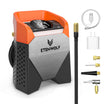
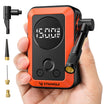
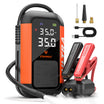
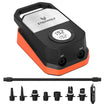
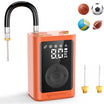
ETENWOLF Zephyr S3 Heavy Duty Tire Inflator
-
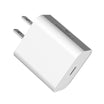
ETENWOLF 30W USB-C Fast Wall Charger
✅ Quick Answer
If your ETENWOLF Zephyr S3 isn't charging with the ETENWOLF 30W USB-C Fast Wall Charger, the issue may be related to the charging cable and the port you're using.
The Zephyr S3 has two USB ports on the back, but only one supports charging the inflator itself.
To use the ETENWOLF 30W USB-C Fast Wall Charger, you'll need a separate USB-C to USB-C cable connected to the S3's USB-C input port.
🔌 Understanding the Two USB Ports on Your Zephyr S3
The Zephyr S3 features two ports with different functions:
-
USB-C Port (Input): Used to recharge the Zephyr S3's built-in battery.
-
USB-A Port (Output): Used to charge compatible external devices, allowing the S3 to function as an emergency power bank.

Important: The USB-A output port cannot be used to recharge the S3.
⚠️ Why Isn't My S3 Charging with the 30W USB-C Charger?
The Zephyr S3 comes with a USB-A to USB-C cable, but it does not include a wall charger.
The included cable serves two purposes:
-
Recharge your S3 using a compatible USB-A wall charger.
-
Charge compatible external devices through the S3's USB-A output port.
However, the ETENWOLF 30W USB-C Fast Wall Charger has a USB-C output port.
If you connect the included cable with its USB-A end plugged into the S3's USB-A output port and its USB-C end connected to the wall charger, the S3 will not charge.
This happens because the USB-A port on the S3 is designed for power output, not input.
This is a connection issue, not necessarily a product malfunction.
🛠️ How to Charge Your Zephyr S3 Correctly
There are two ways to recharge your S3:
Option 1: Using the ETENWOLF 30W USB-C Fast Wall Charger
-
Prepare a separate USB-C to USB-C cable.
-
Connect one end to the 30W charger's USB-C port.
-
Connect the other end to the S3's USB-C input port.
-
Plug the charger into a power outlet to recharge your S3.
Option 2: Using the Included USB-A to USB-C Cable
-
Connect the USB-A end to a compatible USB-A wall charger.
-
Connect the USB-C end to the S3's USB-C input port.
-
Plug the charger into a power outlet to begin charging.
Both methods allow you to recharge your Zephyr S3 correctly.
💡 Important Reminder
Always use the USB-C input port when charging your Zephyr S3.
The USB-A port is intended only for charging external devices and cannot receive power to recharge the inflator.
If you're using a USB-C wall charger, make sure you have a compatible USB-C to USB-C cable.
📩 Still Need Help?
If your Zephyr S3 still won't charge after using the correct cable and input port, please contact our customer support team.
Email: support@etenwolf.com
We're always happy to help you troubleshoot the issue and get your inflator working properly.


